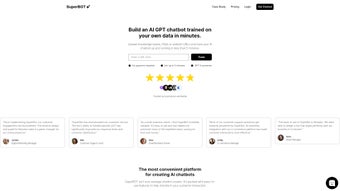

Download SuperBot – Secure AI Chatbot Platform Review, Free Trial & Features
Introduction: Why SuperBot Is the Next‑Generation Chatbot Solution
In today’s hyper‑connected market, customers expect instant, accurate answers no matter the channel or language. Traditional rule‑based bots struggle to keep up, often delivering generic replies that frustrate users and increase support costs. SuperBot steps into this gap by marrying the power of OpenAI’s GPT‑4 with a data‑driven, no‑code training engine that lets businesses upload any documentation—PDFs, CSVs, knowledge‑base articles, or even proprietary APIs—and instantly generate a conversational assistant that speaks the same language as its audience.
The platform is built as a cloud‑native SaaS service, meaning you can access the full suite from any modern browser on Windows, macOS, Linux, iOS, or Android without worrying about local installations or version conflicts. Its multilingual engine supports over 30 languages out of the box, automatically detecting and switching languages mid‑conversation, which makes it an ideal choice for global enterprises seeking a unified customer‑service front. Moreover, SuperBot’s “human intervention” mode ensures that when the AI reaches a confidence threshold below your set limit, a live agent can seamlessly join the chat, preserving the human touch while still leveraging automation for the bulk of interactions.
Whether you’re a startup aiming to scale support without hiring a large team, a mid‑size firm looking to reduce ticket volume, or a multinational corporation needing consistent brand voice across continents, SuperBot promises to cut response times, lower operational expenses, and free up staff to focus on higher‑value tasks. The following sections dive deep into its core capabilities, step‑by‑step setup, cross‑platform compatibility, and a balanced look at its strengths and limitations, giving you a comprehensive view before you decide to download and start your free trial.
Core Features & Installation: From Zero to Live in Under 30 Minutes
Feature Highlights that Differentiate SuperBot
- GPT‑4 Core Engine: Delivers human‑like language understanding and generation, handling complex multi‑turn dialogues.
- Data‑Driven Training: Drag‑and‑drop PDFs, CSVs, or link existing APIs; the platform automatically parses, indexes, and creates embeddings.
- Continuous Learning: Nightly model retraining incorporates new data and interaction feedback to improve accuracy over time.
- Multilingual Support: Built‑in translation layer enables seamless conversations in 30+ languages without extra configuration.
- One‑Click Integrations: Website widget, WhatsApp Business API, and RESTful webhooks for CRM or ticketing systems.
- Human Intervention Mode: Configurable confidence thresholds trigger live‑agent handoff for high‑stakes interactions.
- Customizable UI/UX: Brand‑consistent chat windows, custom avatars, and theme colors that match your corporate identity.
- Analytics Dashboard: Real‑time metrics on conversation volume, resolution rates, sentiment analysis, and ROI tracking.
- Secure Data Handling: End‑to‑end encryption, GDPR/CCPA compliance, role‑based access, and on‑demand data deletion.
- Scalable Cloud Architecture: Auto‑scales with traffic spikes, ensuring reliability for enterprises and SMBs alike.
Step‑by‑Step Installation & First‑Time Use
- Create Your Account: Visit the SuperBot homepage, sign up with email or SSO, and verify the account via the confirmation link.
- Select a Plan: Choose Free, Professional, or Enterprise. The Free tier offers 500 interactions per month; Professional unlocks unlimited GPT‑4 usage.
- Upload Training Data: Navigate to “Data Library,” drag‑and‑drop files, or connect to your knowledge‑base API. SuperBot extracts text, generates embeddings, and indexes content in minutes.
- Configure Bot Personality: Use the visual “Persona Builder” to set tone, response length, fallback messages, and preview interactions in a sandbox environment.
- Integrate Channels: For website chat, copy the generated JavaScript snippet into your site’s footer. For WhatsApp, follow the OAuth flow to link your Business account and map triggers.
- Enable Human Handover: Set confidence thresholds (e.g., 70%). When the AI falls below, a notification is sent to your support dashboard for agent takeover.
- Launch & Monitor: Activate the bot with a toggle, watch live sessions on the dashboard, and adjust settings in real time.
The entire onboarding experience typically takes less than 30 minutes for most organizations. SuperBot’s documentation includes short video tutorials, a searchable knowledge base, and an active community forum where users exchange best practices. Should you encounter any hiccups, a live‑chat support team is available 24/7, and the built‑in AI help center can answer technical questions instantly. After launch, you can continuously refine the bot by adding new resources, tweaking confidence thresholds, or updating the persona. Because the platform retrains nightly, any changes you make are reflected in user interactions the next day, ensuring the chatbot stays current with product releases, policy updates, or seasonal promotions.
Compatibility, Pros & Cons: A Balanced View of SuperBot’s Real‑World Performance
SuperBot is a fully cloud‑based SaaS solution, which means it runs in any modern web browser regardless of operating system. It is officially supported on Windows 10/11, macOS Ventura and later, major Linux distributions, iOS 14+, and Android 9+. The responsive admin dashboard adapts to desktops, tablets, and smartphones, allowing you to manage bots on the go. All integrations—website widget, WhatsApp API, and webhook endpoints—operate independently of the client OS, delivering a truly cross‑platform experience.
Pros
- Rapid deployment: functional chatbot live in under an hour.
- GPT‑4 powered: state‑of‑the‑art natural language understanding.
- Data‑driven training: no code required to ingest existing documentation.
- Multilingual out‑of‑the‑box: supports 30+ languages automatically.
- Human handover: maintains high service quality when AI confidence is low.
- Scalable cloud infrastructure: handles traffic spikes effortlessly.
- Robust analytics: clear ROI metrics and conversation insights.
- Secure and GDPR‑compliant: encryption, role‑based access, and audit logs.
- Cross‑platform web UI: manage from Windows, macOS, Linux, iOS, or Android.
- Extensive integration library: web, WhatsApp, REST APIs, and webhooks.
Cons
- Advanced customizations (deep API hooks, custom NLP pipelines) may need developer resources.
- Higher‑tier plans can be pricey for very small businesses or startups.
- Learning curve for non‑technical users when designing complex workflows or multi‑step handovers.
- Reliance on constant internet connectivity; no offline mode.
- Free tier limits interactions and language options, which may require upgrade for growing teams.
SuperBot delivers a powerful, GPT‑4 driven chatbot experience with a surprisingly short setup time. Its data ingestion capabilities and multilingual support make it a compelling choice for global brands. While the pricing may be a barrier for very small teams, the ROI realized through reduced support tickets and higher customer satisfaction justifies the investment for most midsize and enterprise users.
Frequently Asked Questions
-
Can SuperBot be used without any technical background?
Yes. The drag‑and‑drop uploader and visual persona builder are designed for non‑technical users. Basic setup requires no coding, though advanced customizations (e.g., custom APIs) benefit from developer assistance.
-
How does SuperBot ensure data privacy?
All uploaded documents are encrypted at rest and in transit. SuperBot complies with GDPR, CCPA, and ISO‑27001. Role‑based permissions control access, and you can delete all stored data at any time from the admin console.
-
Is there a free trial or a free tier available?
SuperBot offers a 14‑day free trial of the Professional plan, plus a forever‑free tier that includes up to 500 interactions per month, basic analytics, and single‑language support.
-
Can I integrate SuperBot with my existing CRM or ticketing system?
Yes. SuperBot provides RESTful APIs and native webhooks that can push conversation data to CRMs like Salesforce, HubSpot, or ticketing platforms such as Zendesk and Freshdesk.
-
What languages does SuperBot support out of the box?
The platform automatically supports over 30 languages, including English, Spanish, Mandarin, German, French, Arabic, Portuguese, Japanese, and many more. Language detection happens in real time, allowing seamless switches within a single conversation.
Conclusion & Call to Action
SuperBot stands out as a versatile, AI‑driven chatbot platform that blends the cutting‑edge capabilities of GPT‑4 with an intuitive, data‑centric workflow. Its ability to ingest your own knowledge assets, continuously learn from interactions, and provide multilingual support makes it a strategic asset for businesses aiming to boost engagement while lowering support costs. The seamless integration with website chat widgets, WhatsApp, and major CRMs, together with the safety net of human intervention, ensures you never sacrifice service quality for automation. If you’re ready to modernize your customer‑service experience, reduce repetitive inquiries, and gain actionable insights from every conversation, download SuperBot today and start your free trial.



.png)



